Case
The 3D-printed enclosure is two parts — top and bottom — screwed together. Designed in Fusion 360. The printable files, slicer settings, and design notes all ship in the public repo.
Printable parts
Five files live in case-design/ in the public repo:
Printable shells:
Case bottom.3mf— the printable bottom shellCase top.3mf— the printable top shellCase-slice-file.3mf— a pre-arranged slicer project file (PrusaSlicer) that opens both shells with the orientation already set
Editable CAD source (for substituting parts or forking the design):
Case.f3z— Fusion 360 archive, parametric. Open this if you have Fusion 360 and want clean edits with the original feature history.Case.step— neutral CAD interchange. Openable in FreeCAD, Onshape, SolidWorks, etc. Loses Fusion's parametric history, but you can still edit dimensions.
All of these are CC BY-SA 4.0 (same license as the docs) — fork, modify, reshare, ship a derivative; just keep it open.
If you'd rather design your own case from scratch, the hardware page and the parts overview give you everything you need to fit your own enclosure around the components. Budget for several test prints — the supplied case took multiple revisions to dial in.
Preview
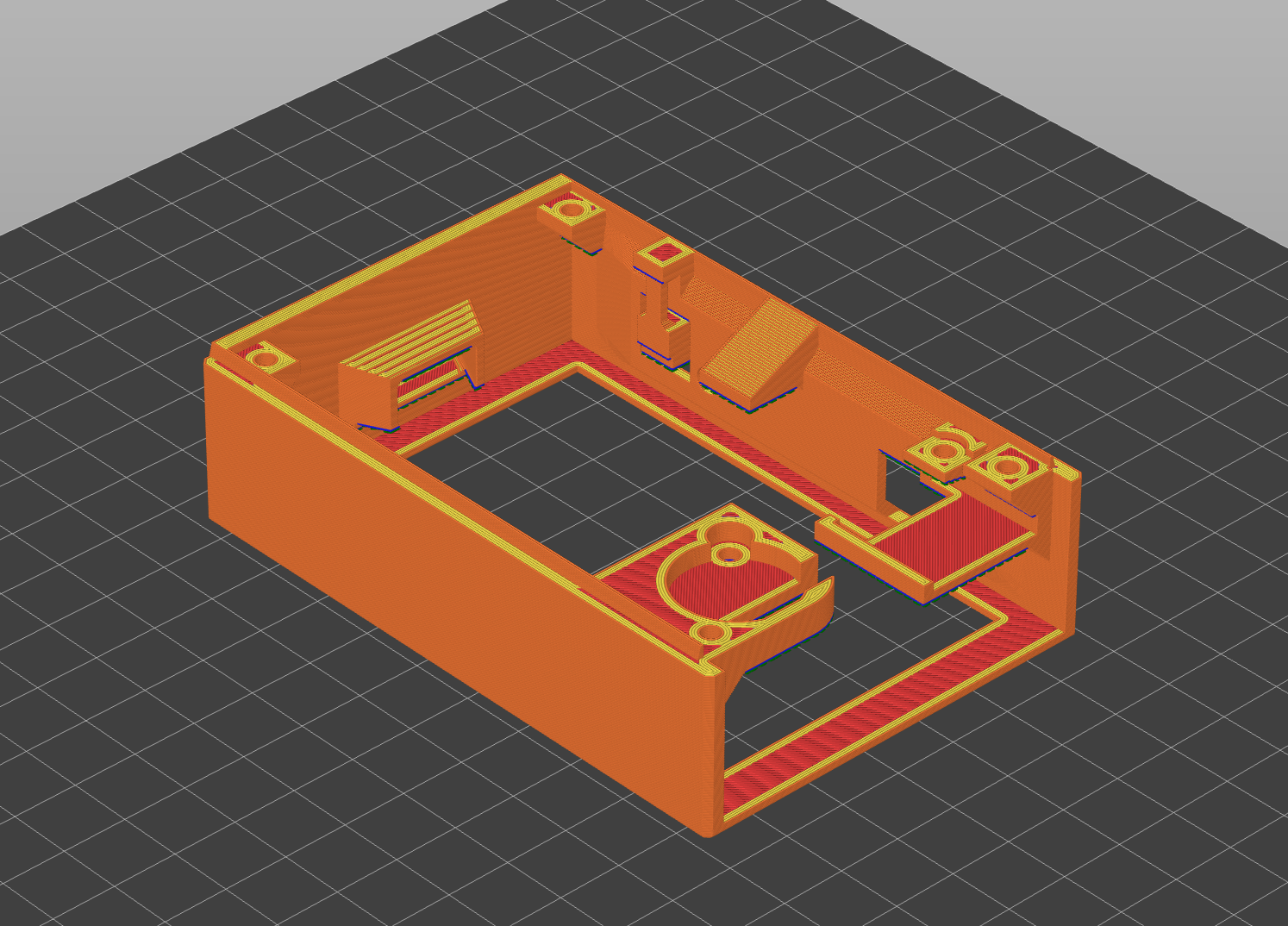
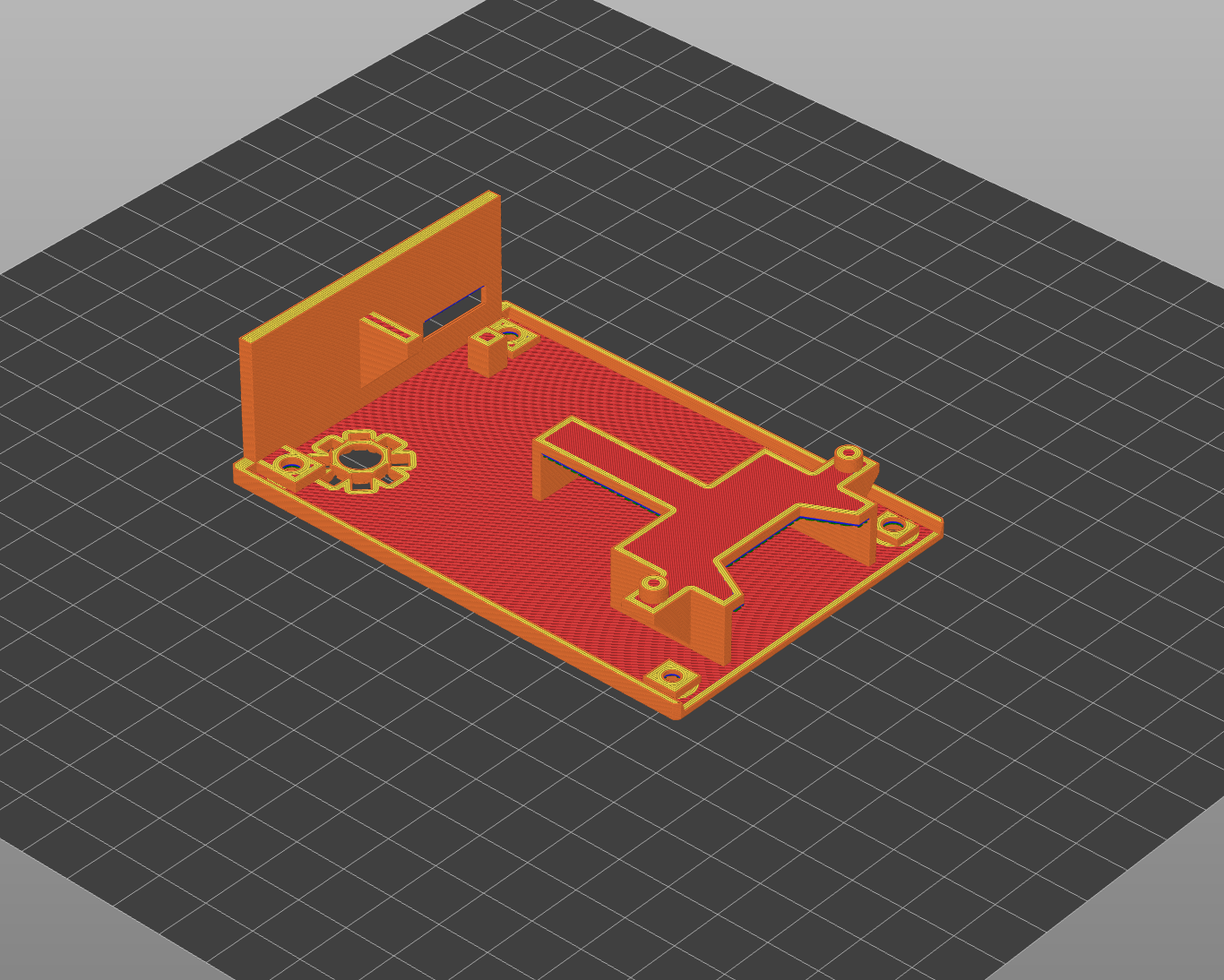
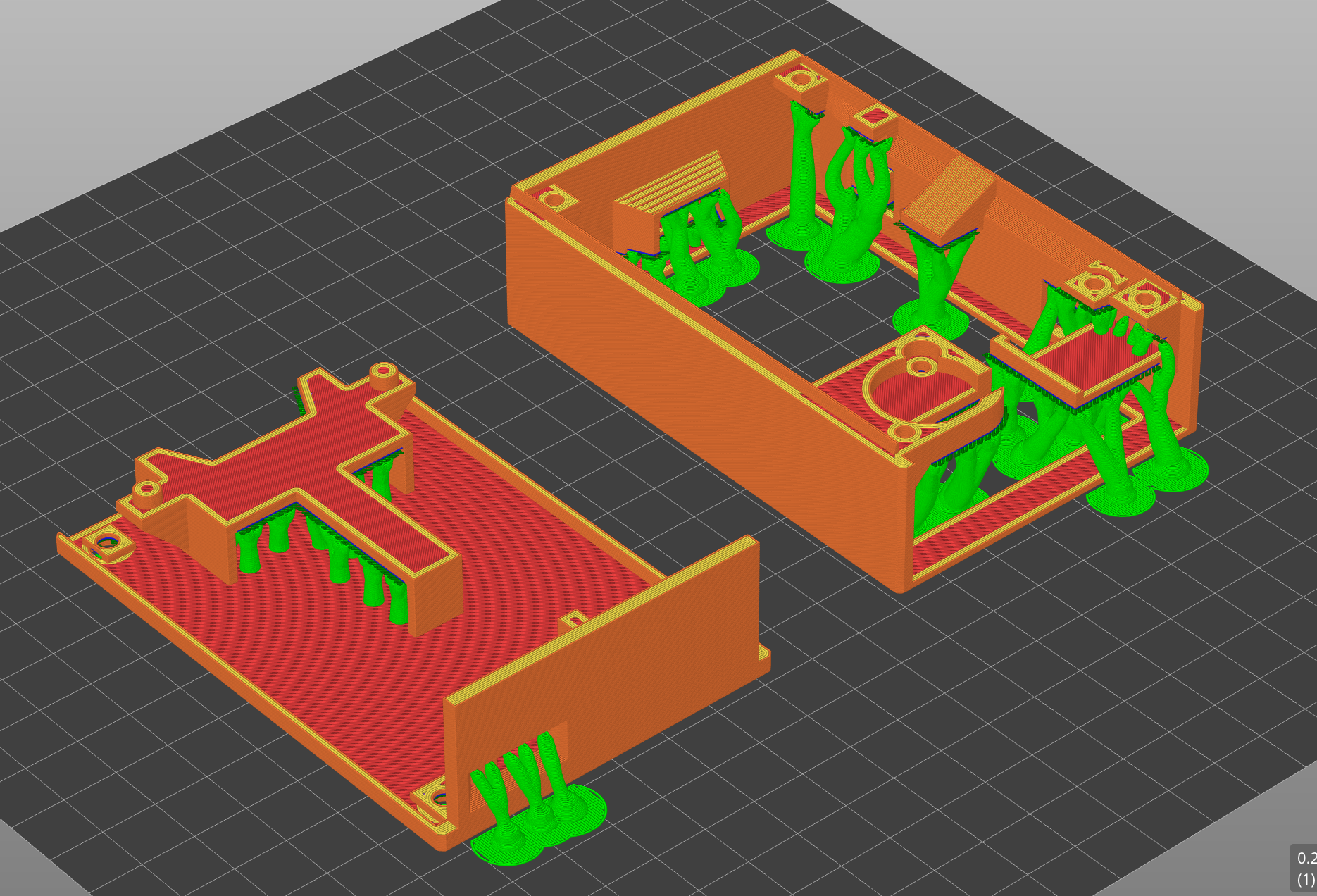
The screenshots below are quick PrusaSlicer previews of the public .3mf files, so you can inspect the parts before downloading them.
Slicer settings
Exact values used on the original prints. 0.4 mm nozzle.
| Setting | Value |
|---|---|
| Layer height | 0.2 mm |
| Infill density | 25% |
| Infill pattern | Gyroid |
| Perimeters (walls) | 4 |
| Top / bottom layers | 4 |
| Supports | Enabled, everywhere |
| Print speed | slicer default (untouched) |
A few notes:
- Supports everywhere, not just touching buildplate. Tested both ways; the supported version came out noticeably cleaner.
- Infill pattern barely matters — the case is mostly thin shell. Gyroid is what was used.
- Material: PLA is fine. PETG works too if you want a bit more toughness. ABS isn't necessary; the device never gets hot.
Case-slice-file.3mf opens both shells in PrusaSlicer with the orientation already set. If you're slicing the raw .3mfs yourself, orient flat-side-down.
What if the print doesn't fit
The case is dimensioned for the exact off-the-shelf modules in the BOM. If you've substituted parts — a different battery, a different SD breakout, a different QR scanner — the case won't fit.
Two paths:
- Stick to the BOM. Easiest by a long way — no CAD work, no test prints chasing tolerances.
- Fork the CAD source. Open
Case.f3zin Fusion 360, orCase.stepin any other CAD tool, and adjust the cutouts to match your parts. Expect several test prints to dial it in.
Next: Assembly — how to put the modules into the case and wire them up.